We haven’t tested these products ourselves. This roundup is based on manufacturer information, published specifications and owner reviews.
So you want to fly a drone. Good choice! There’s nothing quite like watching your neighborhood, a favorite beach or a quiet stretch of farmland open up beneath you from a few hundred feet up. It’s also one of the easiest ways into aviation: you’re dealing with lift, wind, airspace and the same “see and avoid” thinking that real pilots use every day. (If you’ve ever wondered how those little propellers keep it all in the air, our post on how planes fly covers the basics of lift.)
Before you buy, though, it pays to know the rules, because in the US the rules actually shape which drone makes the most sense for a beginner. Let’s start there, then look at the features that matter and three beginner-friendly drones worth a look.
The FAA Rules for Fun Flyers, in Plain English
If you’re flying purely for fun, the Federal Aviation Administration (FAA) treats you as a recreational flyer. If you fly for any kind of work or business, even a little, you need to follow the FAA’s Part 107 rules instead. The FAA’s own advice is simple: if you’re not sure, assume Part 107.
Here are the recreational basics, straight from the FAA’s recreational flyers page:
- Pass the TRUST test. The Recreational UAS Safety Test is free, online and run by FAA-approved test administrators (the Academy of Model Aeronautics, Embry-Riddle and Pilot Institute are among them). You can’t fail it, because wrong answers are corrected as you go. Save your certificate and carry proof when you fly, because the test providers don’t keep a copy for you. Details are on the FAA’s TRUST page.
- Register if your drone weighs 250 grams (0.55 lb) or more. Registration is done online at FAADroneZone, costs a small fee, lasts three years and covers every drone you own as a recreational flyer. You must be at least 13, mark your registration number on the outside of the drone and carry your certificate. Drones under 250 g flown only for fun don’t need registering. See the FAA’s registration page.
- Remote ID comes with registration. Since September 16, 2023, any drone that has to be registered must broadcast Remote ID, a kind of digital license plate. You can comply by flying a drone with Standard Remote ID built in, by fitting a broadcast module, or by flying only at an FAA-Recognized Identification Area (FRIA). More on the FAA’s Remote ID page.
- Keep it in sight. You (or a visual observer standing right beside you) must be able to see the drone with your own eyes.
- Give way to every other aircraft, always.
- Stay at or below 400 feet (122 m) in uncontrolled (Class G) airspace.
- Get authorization before flying in controlled airspace around many airports. Recreational flyers can request it through LAANC (the FAA’s automated approval system, available in several apps) or through FAADroneZone.
- Follow a community-based organization’s safety guidelines, such as those of the Academy of Model Aeronautics (AMA).
To check where you can fly, use an FAA-approved B4UFLY app. They show controlled airspace, temporary flight restrictions, national parks and more, and most also handle LAANC requests.
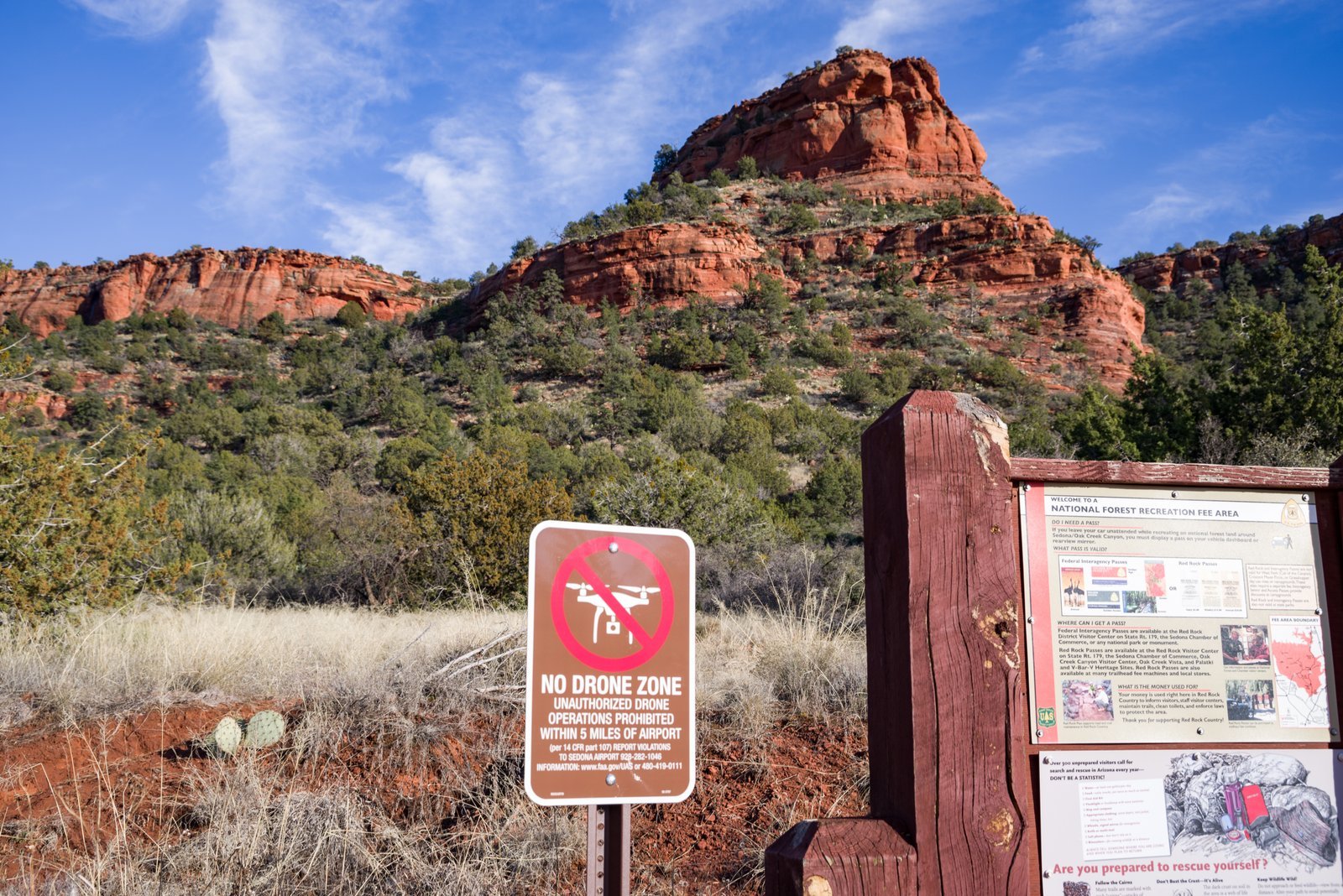
One more thing that catches lots of new flyers: launching, landing or flying a drone from inside most national parks is prohibited, under a National Park Service policy dating back to 2014. Read the NPS’s explanation before you pack the drone for a road trip. State and local rules can add their own limits too.
Why “Under 250 Grams” Is the Magic Number
That 250 g line is why so many beginner drones are built to weigh just under it. Fly one for fun and you skip registration, and because you don’t have to register, you don’t need Remote ID either. You still need your TRUST certificate and you still follow every other rule above.
A word of warning: some drones in this weight class can take an optional larger battery, and that can push the takeoff weight over 250 g. Once that happens, registration and Remote ID apply. Check the manufacturer’s specs for the exact battery you plan to use.
What to Look For in Your First Drone
- GPS position hold. A GPS drone holds its spot in the sky when you let go of the sticks, which makes learning far less stressful. Tiny indoor drones without GPS drift with every puff of air.
- Return to home. If the signal drops or the battery runs low, a GPS drone can fly itself back to its takeoff point. It’s a beginner’s best friend, but check the return height before each flight so it clears nearby trees.
- A stabilized camera. A 3-axis mechanical gimbal keeps video smooth and the horizon level. Single-axis gimbals with electronic stabilization work well too, though with less smoothing.
- Wind resistance. Small, light drones get pushed around. Manufacturers often quote a “Level 5” rating (around 24 mph or 10.7 m/s), but a beginner should treat that as the limit, not the target.
- Propeller guards. Handy for learning in a backyard or gym, and much kinder to fingers.
- Spare batteries. Advertised flight times are measured in ideal, windless conditions, so real flights are shorter. Two or three batteries turn a quick hop into a proper afternoon of practice.
- Beginner modes and one-tap takeoff. Slower speed modes, automatic takeoff and landing, and built-in tutorials help a lot in the first weeks.
- Can you still buy it new (and get it serviced)? See the FCC note below.
A Quick Note on the FCC Covered List
In December 2025 the Federal Communications Commission (FCC) added foreign-made drones and key drone components to its Covered List. In practice, that means new foreign-made drone models can’t get the FCC equipment authorization they need to be sold in the US unless they receive a specific approval. Drones that were already authorized before then can still be sold, bought and flown legally, and owners can keep flying the drones they have. All three drones below were released and authorized before the change, but stock and accessories may get harder to find over time, so buy from an authorized retailer and check the FCC’s Covered List page if you want the latest.
Three Beginner-Friendly Drones Worth a Look
All three weigh under 250 g, so a purely recreational flyer in the US doesn’t need to register them. Specs below come from the manufacturers’ official pages.
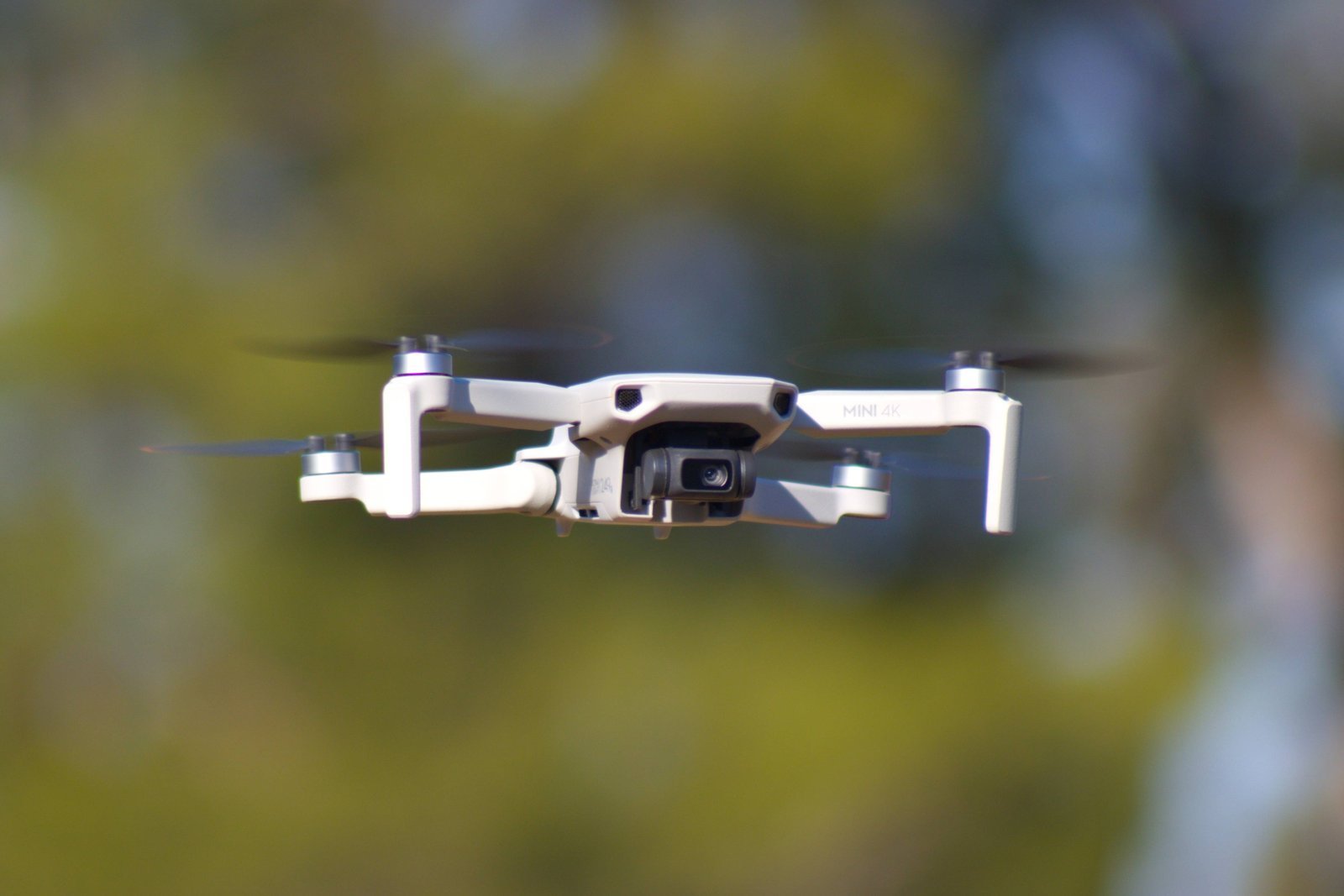
1. DJI Mini 4K: The All-Rounder
The DJI Mini 4K is DJI’s entry-level folding GPS drone, and it ticks almost every box on the list above.
- Weight: 246 g (8.7 oz) standard takeoff weight
- Flight time: up to 31 minutes (DJI’s figure, in ideal conditions)
- Camera: 1/2.3-inch sensor, 4K video at 30fps, 4x digital zoom
- Gimbal: 3-axis mechanical
- Range: up to 10 km (6.2 miles) video transmission under FCC rules, though you must always keep it in sight
- Wind resistance: Level 5 (10.7 m/s, about 24 mph)
- Beginner help: one-tap takeoff and landing, return to home, and a beginner guide in the app
Good for: someone who wants smooth travel and landscape video and a drone they won’t outgrow quickly. Keep in mind: it only has downward sensors, so there’s no obstacle avoidance. Fly in open spaces and keep your eyes on it.
2. DJI Neo: The Tiny Selfie Flyer
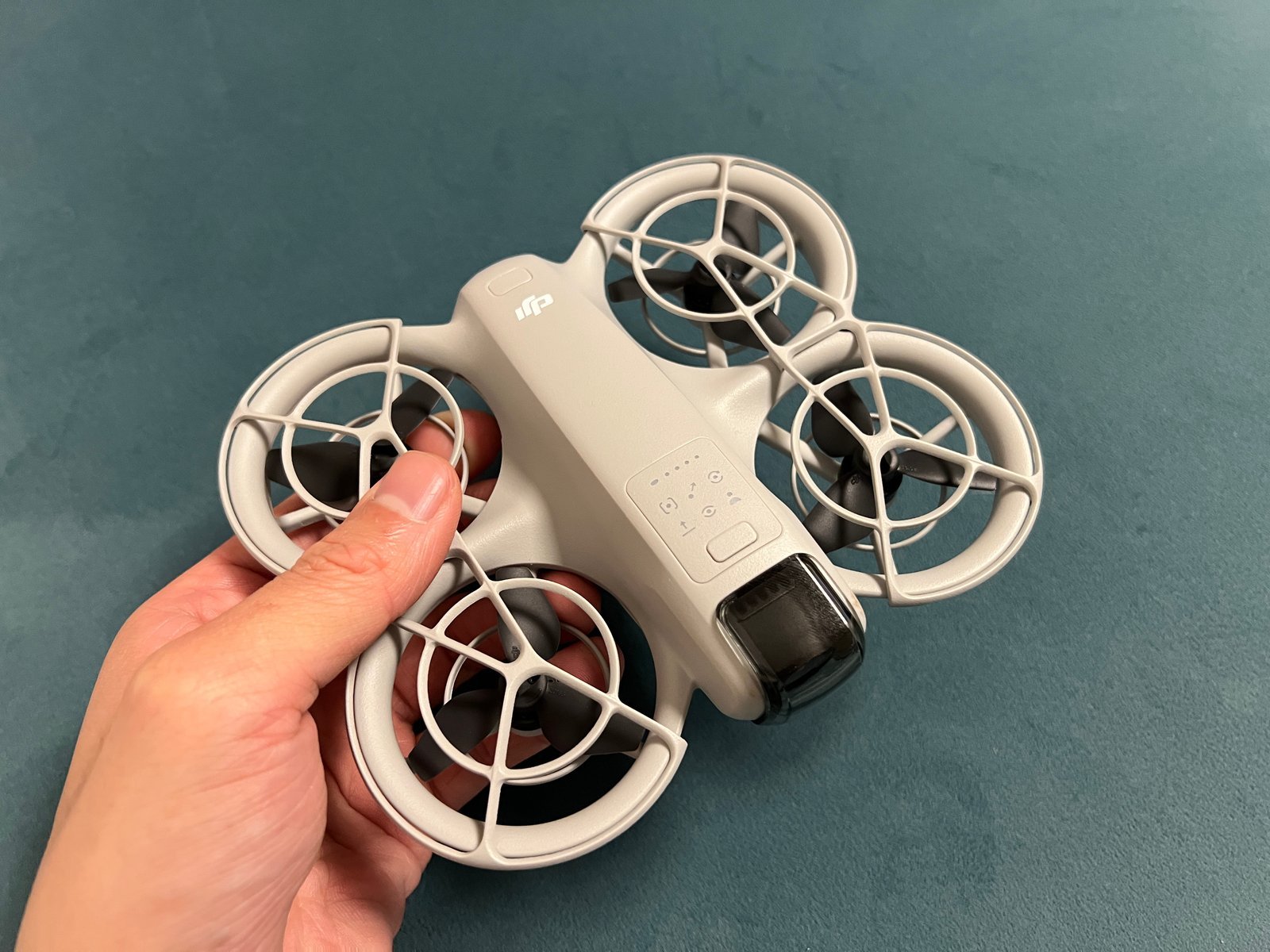
The DJI Neo is a very different beast: a palm-sized drone with enclosed propeller guards that can take off from and land on your hand, then follow you around for short clips.
- Weight: about 135 g (4.8 oz)
- Flight time: about 18 minutes (about 17 with the propeller guards fitted), per DJI
- Camera: 1/2-inch sensor, 12 MP photos, 4K video at 30fps
- Gimbal: single-axis mechanical (tilt), plus electronic stabilization
- Range: about 50 m (164 ft) when flown from a phone over Wi-Fi, per DJI’s specs
- Wind resistance: Level 4 (8 m/s, about 18 mph)
- Sensing: downward positioning only
Good for: first-timers, teens and anyone who mostly wants quick, fun clips of themselves on a walk, bike ride or at a family gathering. Keep in mind: the shorter range, lighter build and smaller wind rating mean it’s best on calm days and close to you.
3. Potensic ATOM: The Non-DJI Alternative
If you’d like an option from another brand, the Potensic ATOM is a folding GPS drone with a very similar recipe to the Mini 4K.
- Weight: under 249 g (242 g per Potensic’s manual)
- Flight time: up to 32 minutes (Potensic’s figure)
- Camera: 1/3-inch Sony sensor, 12 MP photos, 4K video at 30fps
- Gimbal: 3-axis mechanical
- Range: up to 6 km (3.7 miles) with Potensic’s PixSync 3.0 transmission
- Wind resistance: Level 5
- Smart features: multi-system GNSS positioning, return to home, QuickShots and visual tracking
Good for: beginners who want 3-axis smooth video, long flights and subject tracking from a non-DJI brand. Keep in mind: there’s no obstacle avoidance here either, and Potensic also sells a cheaper ATOM SE with a simpler single-axis gimbal, so check which model you’re looking at.
Before Your First Flight
- Take the TRUST test and save the certificate on your phone.
- Practice in a big open field, well away from people, roads, trees and power lines, on a calm day.
- Check B4UFLY before every new location.
- Learn the controls slowly. Hover, then go forward and back, then gentle turns. Use beginner or slow mode.
- Set your return-to-home height above the tallest obstacle nearby.
- Consider joining a club. The Academy of Model Aeronautics has clubs and flying fields all over the country, and fellow flyers are the fastest way to learn.
Thanks for Flying With Us
A good first drone doesn’t need every bell and whistle. Something under 250 g with GPS, return to home and a stabilized camera will keep you legal, safe and smiling while you learn. Readers in Australia, our guide to the best beginner drones under CASA rules is coming soon. And if you’re shopping for someone else, our gift guide for aviation lovers has plenty more ideas, plus the vintage-aviation prints in our Art Shop.
What was your first drone, or which one are you eyeing? Tell us in the comments.
God bless you with blue skies!